
Free · runs in your browser

Bible verse wallpaper maker

Pick a verse or type your own, choose a look, and save a lock screen at full phone size, 1320×2868 pixels, with the words kept clear of the clock and the buttons.

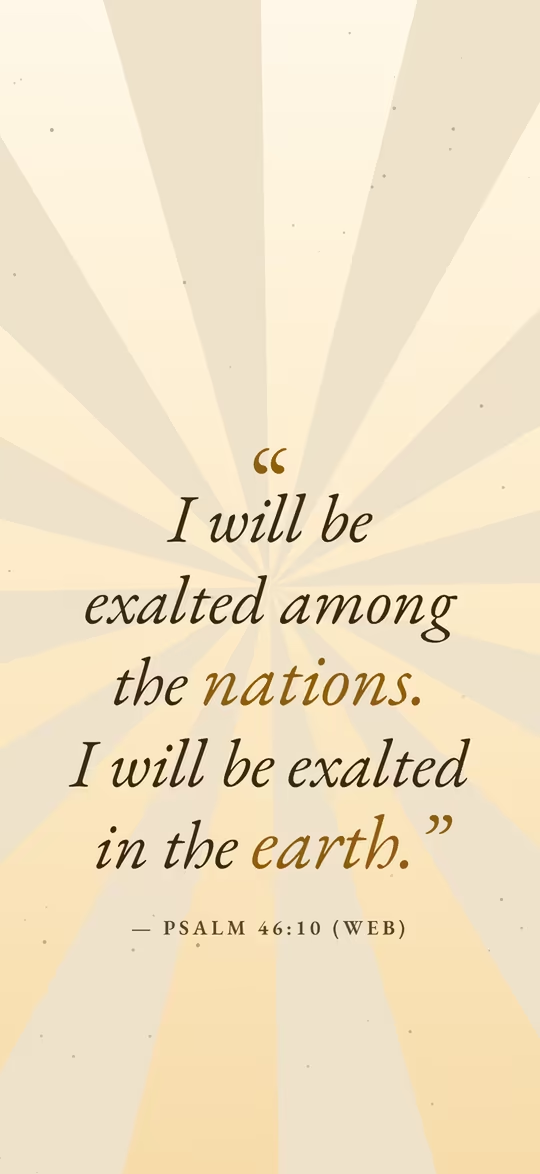
Phone wallpaper of Psalm 46:10 in italic serif over pale gold sunrays, leaving the top clear for the lock-screen clock: “Be still, and know that I am God…”

To make a Bible verse wallpaper, tap one of the ready-made wallpapers below or type a verse into the card above, press Make my wallpaper, adjust the look if you like, then press Export and save the PNG. It comes out at 1320×2868 pixels, the full screen of the largest iPhones, so it stays sharp on any phone.

A lock screen is not a square post: the clock, the date and your widgets cover the top third, and the torch and camera buttons sit at the bottom. This maker keeps the verse in the clear band between them. The built-in verses come from the World English Bible, which is in the public domain; browse them by need in Bible verses by topic, or draw one at random on the random Bible verse page.
24 ready-made Bible verse wallpapers

Tap one to open it at full phone size. Change the colours, font or background if you like, then press Export and save the PNG.

How to make a Bible verse wallpaper

  1. Choose a verse

    Tap a ready-made wallpaper, press Surprise me for a random verse, or paste your own verse into Your quote and its reference into Author.

  2. Open it at phone size

    Press Make my wallpaper. The editor opens in the 9:19.5 phone size; in Size, turn on Show where apps cover the video to see where the clock and buttons sit.

  3. Make it yours

    Open Templates for another look (Faith, Night sky, Nature and Aesthetic suit verses), or change Fonts and Colours in Style, or put a photo in Background.

  4. Save the PNG

    Press Export; Image (PNG) is already chosen. Press Download, or Share on a phone to save it to your photos.

Phone wallpaper size

The wallpaper is 1320×2868 pixels, a ratio of about 9:19.5. That is the native screen of the 6.9-inch iPhone Pro Max models; every smaller iPhone shows it scaled down, which keeps it sharp. Most Android phones have a slightly taller 20:9 screen, so they trim a sliver from each side, which the margins already allow for.

If you also want the verse as a square post or a Story, tick 1:1 or 9:16 next to the phone size in Export; every size is laid out separately and they download together in a ZIP.

Keeping the verse clear of the clock

On both iPhone and Android the lock screen draws the date, the time and any widgets over roughly the top third of the picture, and the torch and camera shortcuts over the bottom corners. The text box in this size stays between about a third of the way down and the bottom sixth, so nothing important is hidden. If you move the verse yourself, the Lock screen guide under Size shows the covered areas.

Set it as your lock screen

  • iPhone: open the image in Photos, tap the Share button, choose Use as Wallpaper, then tap Add and choose whether to use it on the home screen too.
  • Android: open the image in Google Photos, tap More (⋮) and Use as, or go to Settings → Wallpaper & style. Menus differ a little between phone makers.

Aesthetic styles that suit a verse

Quiet looks read best at a glance: Minimal and Serif classic for clean type, Aesthetic for soft pastels, Night sky and Dark mode for a dark phone, Nature for hills and sea, and Film grain for a vintage feel. Every template is checked so the text keeps at least 4.5:1 contrast with what is behind it.

For a photo of your own, choose Photo or video in Background and raise Darken or Blur until the verse stands out.

Make it move

Choose Video (MP4) in Export for a moving version at the same size. iPhones only animate Live Photos on the lock screen, so an MP4 needs converting first; some Android phones, such as Samsung Galaxy models, can use a short video directly. For posting rather than a lock screen, the Bible verse video maker starts in 9:16 for Reels, TikTok and Shorts.

Bible verse wallpaper questions

How do I set a Bible verse as my lock screen?

Make the wallpaper here and press Export, then Download or Share to save the PNG to your photos. On iPhone, open it in Photos, tap Share and choose Use as Wallpaper; on Android, use Use as in Google Photos or Settings → Wallpaper & style.

What size is an iPhone wallpaper?

Each iPhone has its own screen size; the largest current models are 1320×2868 pixels, which is the size this maker exports. Smaller iPhones scale it down, so it fits them all without blurring.

Which Bible translation is free to use?

The built-in verses use the World English Bible, which is in the public domain, so you can share the wallpaper freely or even sell it. Modern translations such as the NIV and ESV are copyrighted; if you paste one in, follow its publisher’s rules for quoting.

Can I make a moving wallpaper?

Yes: export Video (MP4) instead of a PNG. Some Android phones accept a short video as a lock screen; on iPhone it has to be turned into a Live Photo by another app first.

Is it free, and is anything uploaded?

It is free, with no watermark and no account. The wallpaper is drawn by your browser and saved on your device; nothing is uploaded.