How fast does it type?
About 16 characters a second for short text, faster for long passages, so the typing always finishes well before the video ends.
Free · runs in your browser
Your words typed out letter by letter with a blinking cursor, in typewriter, mono or handwriting fonts. Export an MP4 or a looping GIF.
To make a typewriter text video, type your text above and keep the Typewriter animation: the letters appear one at a time with a blinking cursor, then the author line fades in. Choose a template from the Typewriter, Paper & notebook or Film grain categories, then Export a video or a GIF.
The typing speed adjusts to the Length you choose, so a short line types slowly and a long paragraph types faster, always finishing with time to read the whole thing. Emoji and accented letters are typed as single characters. For other ways to animate text, see animated text videos.
Use Your quote; line breaks you type are kept.
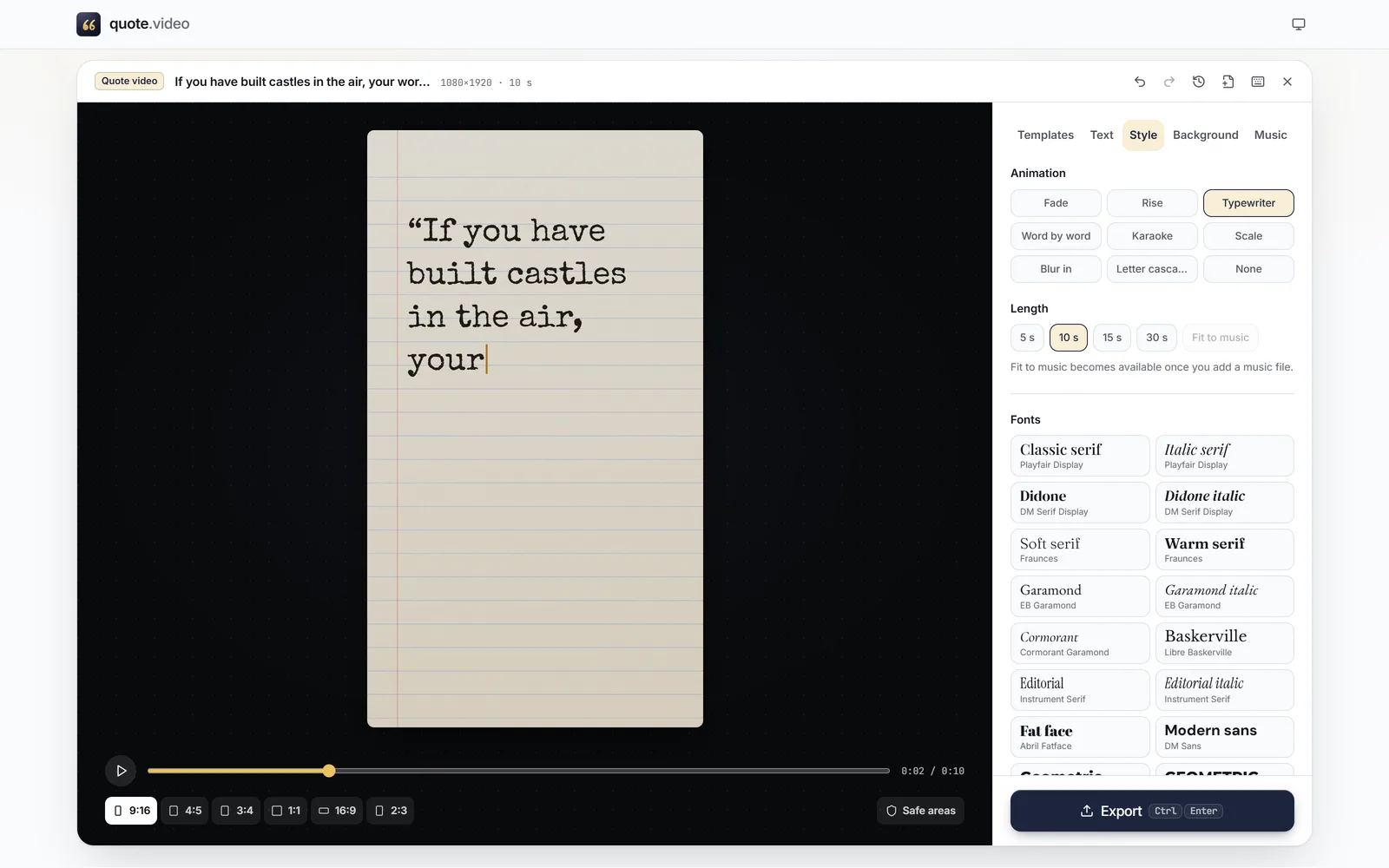
In Style, make sure Animation is Typewriter, and choose a Length.
 (enlarge image)
Typewriter under Animation, caught mid-sentence.
Press Browse templates: Typewriter, Paper & notebook and Film grain all suit the effect.
Press Export, then Video (MP4) or GIF for a loop.
A GIF loops forever and plays without sound, which suits websites, slides and chat. GIFs here are up to 540 px on the short side at 15 frames a second. For anything sharper, an MP4 is a far smaller file.
Letter cascade drops each letter into place, Word by word pops words in, and Karaoke lights words up in turn. Switch between them under Animation; nothing else changes.
About 16 characters a second for short text, faster for long passages, so the typing always finishes well before the video ends.
Yes, a blinking bar in the template’s accent colour that disappears at the end.
Yes. Add your own sound file in Music.
Yes. Choose GIF in Export.
Yes. Each emoji is typed as one character.