What size is an Instagram quote post?
1080 px wide. 4:5 is 1080×1350, 3:4 is 1080×1440 (Instagram’s tallest feed shape) and square is 1080×1080. Pick any of them under Size.
Free · runs in your browser
Feed-ready quote posts in 4:5, 3:4 and 1:1, as a still image or a short animated video. Your quote, your fonts, nothing uploaded.
For an Instagram quote post, set Size to 4:5 (1080×1350) or 3:4 (1080×1440) so the post takes the most room in the feed, type your quote and pick a template. Export Image (PNG) for a classic still post or Video (MP4) for a short animated one, which Instagram shares as a reel.
Instagram’s help centre lists feed shapes from 1.91:1 landscape to 3:4 portrait, so a taller post shows more of your design as people scroll. Square 1:1 still works everywhere. For stories and reels, which use the full 9:16 screen, see quote reels.
Under the preview, choose Size 4:5, 3:4 or 1:1.
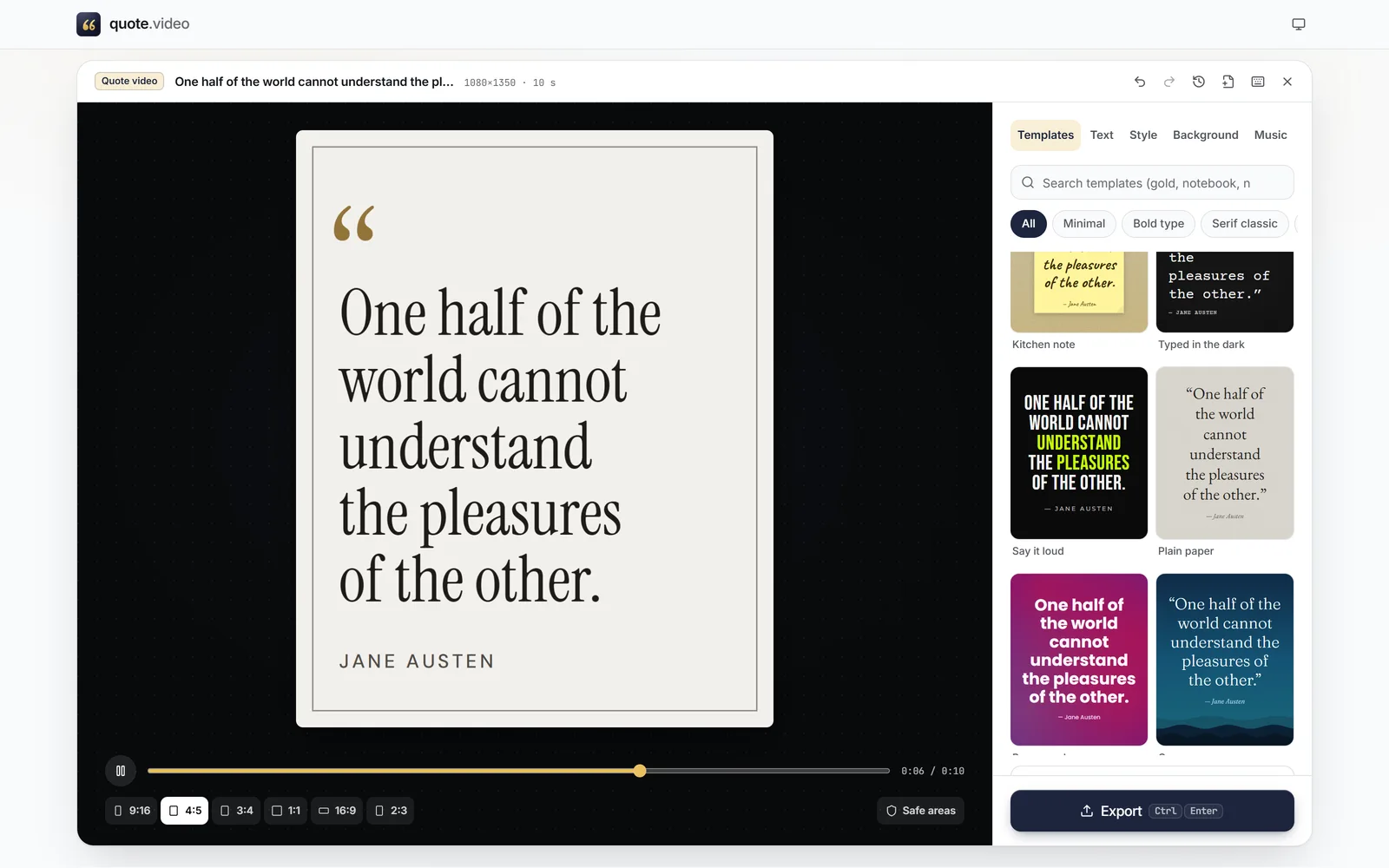 (enlarge image)
Size set to 4:5 for a tall feed post.
Type it into Your quote and add the Author.
Press Browse templates. Editorial, Serif classic, Minimal and Aesthetic suit feed posts well.
Press Export, choose Image (PNG) or Video (MP4), then Download or Share on a phone.
A still quote is quick to read and works in carousels. An animated quote, where the words rise or type themselves in, tends to hold attention a little longer. Since the image is the final frame of the video, you can make both from one design and test which your audience prefers.
For a carousel, export the same template with several quotes: change the text, export, change again. Each design stays in Recent designs.
Pick one template for a series and only change the words, or keep the font and change Colours for each post. Custom colours lets you type in brand colours; the editor shows the contrast ratio and warns when text would be hard to read.
After exporting, Copy alt text copies the quote and author. Paste it into the post’s alt text in Instagram’s accessibility settings before sharing, so the quote reaches people using screen readers.
1080 px wide. 4:5 is 1080×1350, 3:4 is 1080×1440 (Instagram’s tallest feed shape) and square is 1080×1080. Pick any of them under Size.
Yes. Export Video (MP4) instead of an image. Every template has its own text animation.
Not if you export at the size you post at. The text also stays away from the edges, inside a safe margin, so grid previews don’t cut words off.
Yes. In Style, use Custom colours for the background and text. The contrast ratio is shown as you choose.
Yes. In Export, tick 4:5 and 9:16 together and you get both in one ZIP, each laid out for its shape.