What size should a quote reel be?
9:16 at 1080×1920. That is the default size here.
Free · runs in your browser
Vertical 9:16 quote videos for Instagram Reels and Stories, with animated text that stays clear of the buttons, plus music from your own files.
To make a quote reel, keep Size on 9:16, type the quote, pick a template, and add a track in the Music tab. Turn on Safe areas and choose Instagram Reels to see where Instagram draws its buttons and caption; the text layout already stays out of those zones. Then Export a 1080×1920 Video (MP4).
The same file works as an Instagram story, which uses the same 9:16 screen with its own bars at the top and bottom; choose Stories in the Safe areas list to check. For TikTok and YouTube Shorts, see TikTok quote videos; for a still story, export Image (PNG) at 9:16.
Type your quote, then press Browse templates. Kinetic, Motivation and Neon suit reels.
In Music, press Add music and choose a song or sound file from your device. Set Start, End, Fade in, Fade out and Volume, or turn on Fit video to music.
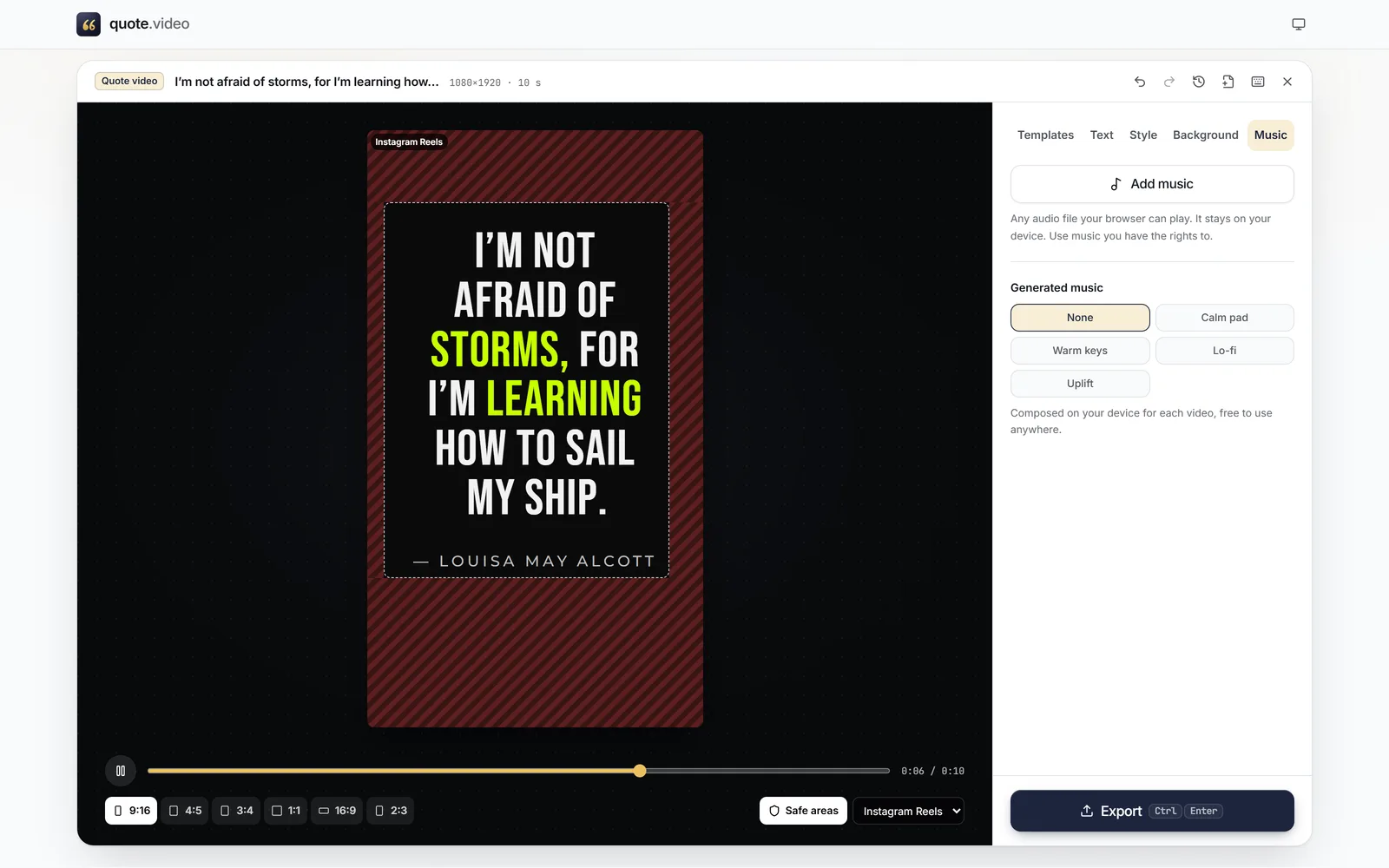
Turn on Safe areas and pick Instagram Reels or Stories to see what the app will cover.
 (enlarge image)
Safe areas set to Instagram Reels: the text sits inside the clear zone.
Press Export, keep Video (MP4) and 9:16, and choose 30 or 60 fps. On a phone, Share sends it to Instagram or Photos.
quote.video doesn’t ship a music library. Add a file you have the rights to, such as a track you made, one you licensed, or a royalty-free download, and trim it to the best part. Or choose Generated music: four simple moods (Calm pad, Warm keys, Lo-fi, Uplift) composed on your device each time, free to use.
If you plan to use a popular song from Instagram’s own library instead, export without music and add the song in Instagram. That keeps the licence with Instagram, which is how most creators handle chart music.
Long enough to read twice. A short quote reads well at 5 to 10 seconds; a longer passage needs 15. Pick Length in the Style tab, and the animation timing scales so the full quote is up with time to spare.
9:16 at 1080×1920. That is the default size here.
Yes. Use Add music in the Music tab to add your own audio file, then trim and fade it. Or pick one of the Generated music moods.
No. The video is yours, with nothing added to it.
Yes. Stories are also 9:16. Export a video, or Image (PNG) for a still story, and check the top and bottom with Safe areas set to Stories.
Instagram recompresses every upload. Export at 1080×1920 and choose High quality; avoid very fine film grain, which is the hardest thing for compression to keep.
Yes, the file works there too. Switch Safe areas to TikTok to check its buttons, which sit further up the right edge.