Are the quote video templates free?
Yes. All of them, with no watermark, no sign-up and no paid tier.
Free · runs in your browser
Over 400 animated templates in 26 styles. Type your quote once and the whole gallery shows it, moving, so you choose by looking rather than imagining.
A quote video template here is a finished look you can drop your words into: a background, a font pairing, a colour palette, a text animation and a layout that keeps clear of each app’s buttons. Open Browse templates, type your quote, and every thumbnail in the gallery redraws with it. Pick one and the editor opens on it, ready to export.
The templates are grouped into 26 categories, including Minimal, Bold type, Serif classic, Handwritten, Neon, Gradient, Paper & notebook, Film grain, Typewriter, Night sky, Nature, Faith, Love, Motivation, Business, Podcast, Seasonal, Retro and Brutalist. Each one is checked so the text reaches at least 4.5:1 contrast against everything behind it, which is why they stay readable on a small phone screen. For theme-specific starting points see motivational quote videos, love quote videos and Bible verse videos.
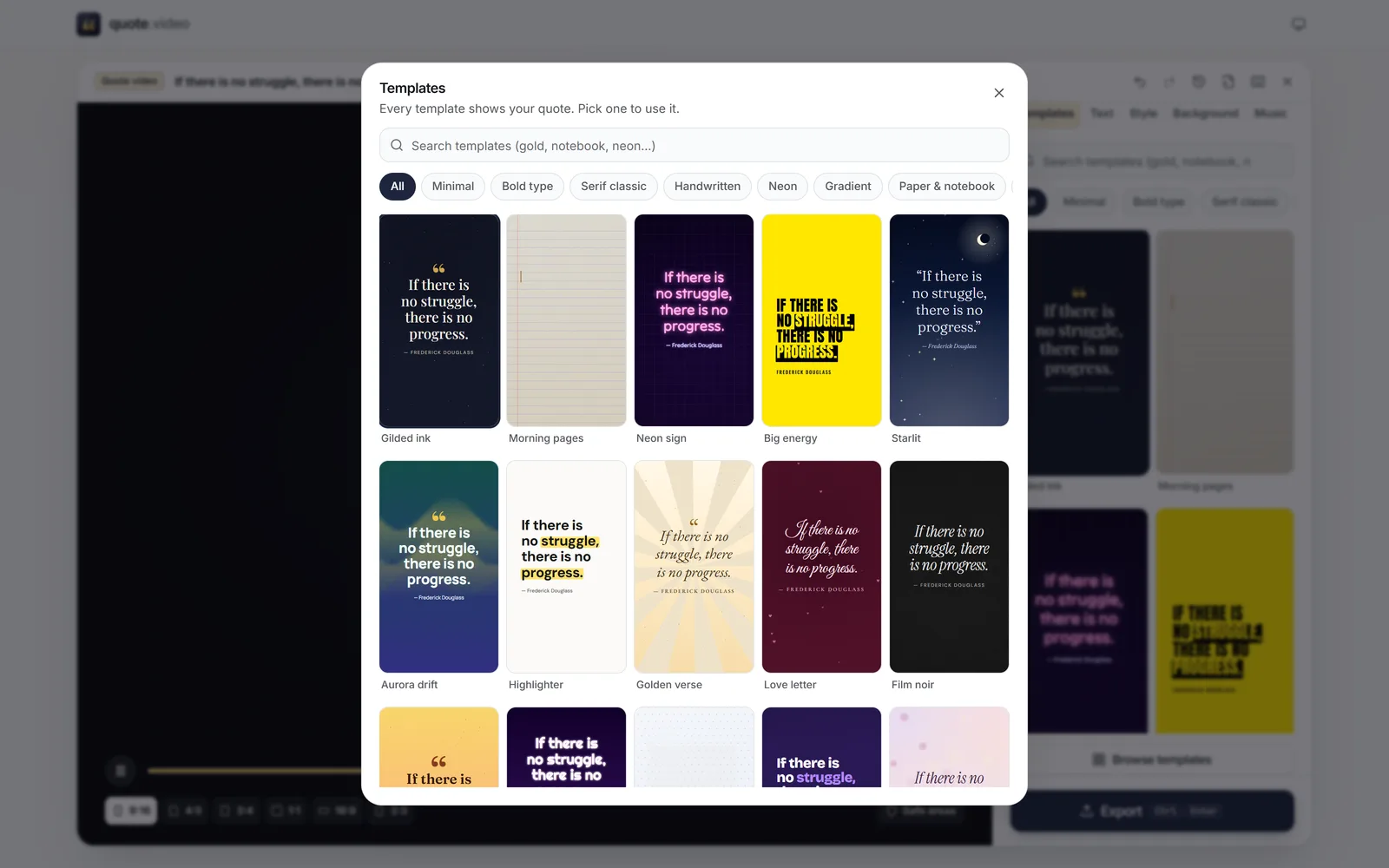 (enlarge image)
Browse templates opens the full gallery, with search and categories.
Write or paste it into Your quote, and add the Author if you know it. Surprise me fills in a public-domain quote if you want to try things first.
Press Browse templates. Search by mood or style, or tap a category such as Neon or Paper & notebook. Every thumbnail plays your quote.
Change Fonts, Colours, Animation or the Background in the editor. The template is only a starting point.
Press Export, choose Video (MP4), an image or a GIF, tick the sizes you need and download.
The search box matches template names, categories, fonts, palettes and tags, so words like “gold”, “notebook”, “wedding”, “gym” or “80s” narrow the gallery straight away. Use [ and ] on a keyboard to step through the templates one by one while watching the large preview.
If you want variety rather than a decision, press R in the editor for a random template; Undo brings back the last one.
Any template works in every size. Switch Size between 9:16, 4:5, 3:4, 1:1, 16:9 and 2:3 and the layout reflows; the type is re-fitted, not stretched. For vertical video the text stays out of the bottom fifth of the frame, where captions and buttons sit. See quote reels and TikTok quote videos for platform specifics.
Yes. All of them, with no watermark, no sign-up and no paid tier.
Over 400 in 26 categories: a set designed by hand plus families built from curated palettes, font pairings, layouts and animations. Each one passes an automatic contrast check.
Yes. Fonts, Colours, Custom colours, Animation, Highlight and the whole Background tab work on any template, and Undo takes you back.
Yes. In Background, choose Photo or video and pick a file. Darken keeps the text readable, and Auto sets it for you from how bright the picture is.
Open-licence fonts (SIL Open Font Licence or Apache 2.0) such as Playfair Display, DM Serif Display, Fraunces, EB Garamond, Montserrat, Anton, Bebas Neue, Caveat, Special Elite and Tilt Neon. They are served from quote.video with their licence files.
Yes. Pick any size and the layout re-fits the text inside that format’s safe area.